Your portal. Everything about your IT, in one place.
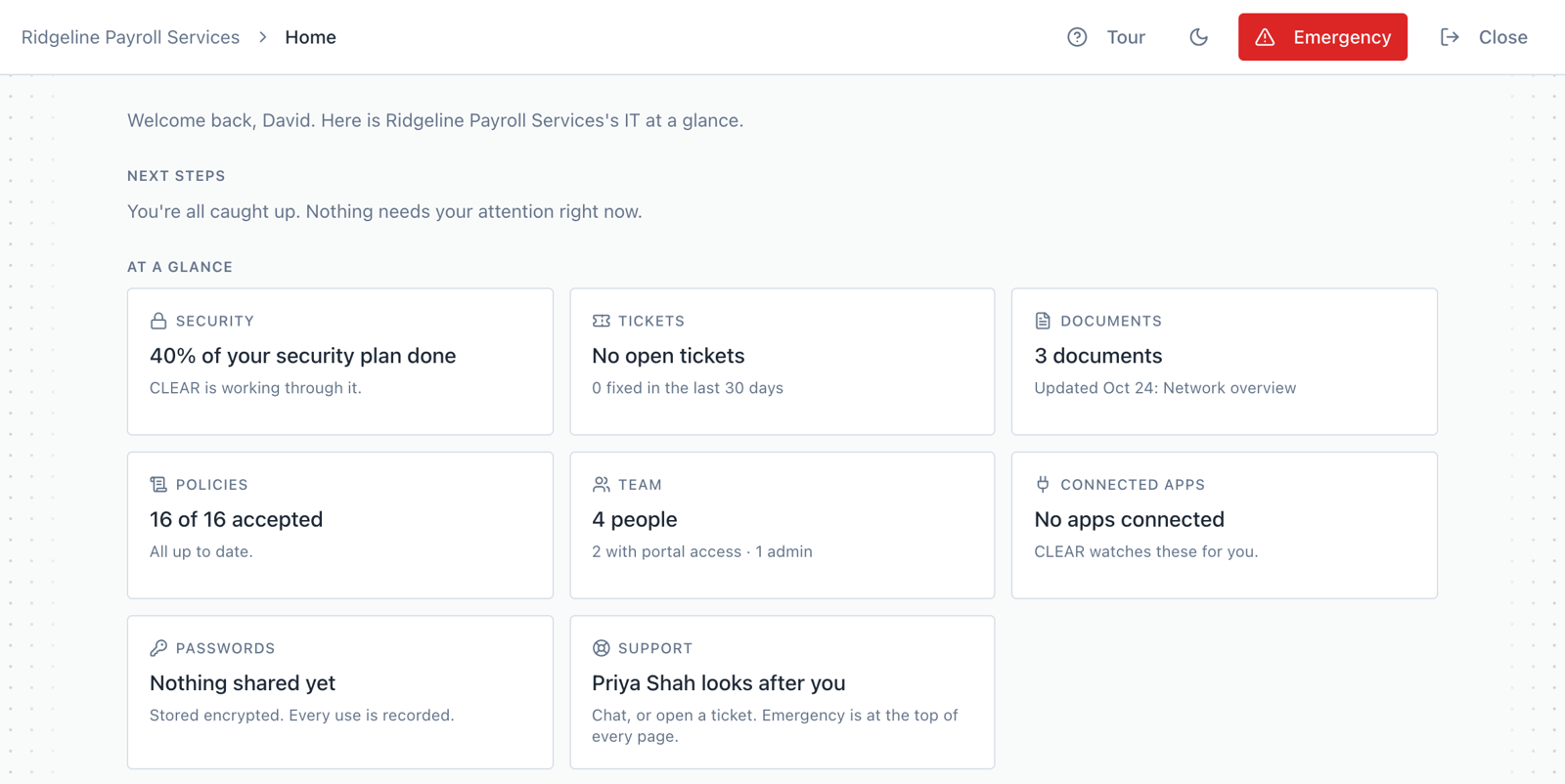
Every client gets a portal. It's where your team asks for help, and where you can see what we're working on, what's been fixed and where your security stands.
Tickets
Ask for help and follow it to the finish. You see who has it, what's been done and what's waiting on you.
Documents
How your setup works, written down and kept current, so it never lives in one person's head.
Passwords
Shared passwords are stored encrypted, and every view is logged.
Security
Where you stand on CLEAR 2026:55, item by item, with the proof behind each one.
Nothing happens out of sight
Everything WarpMSP sees on your computers shows up in your portal, and so does every fix. You never have to ask what we've been doing. You can look.
- Open and solved tickets, with the full history
- Your team, their computers and their accounts
- Every change, kept on your record
Home
Tickets
Documents
Passwords
Team
Security
Tickets
2 open · 47 solved this month
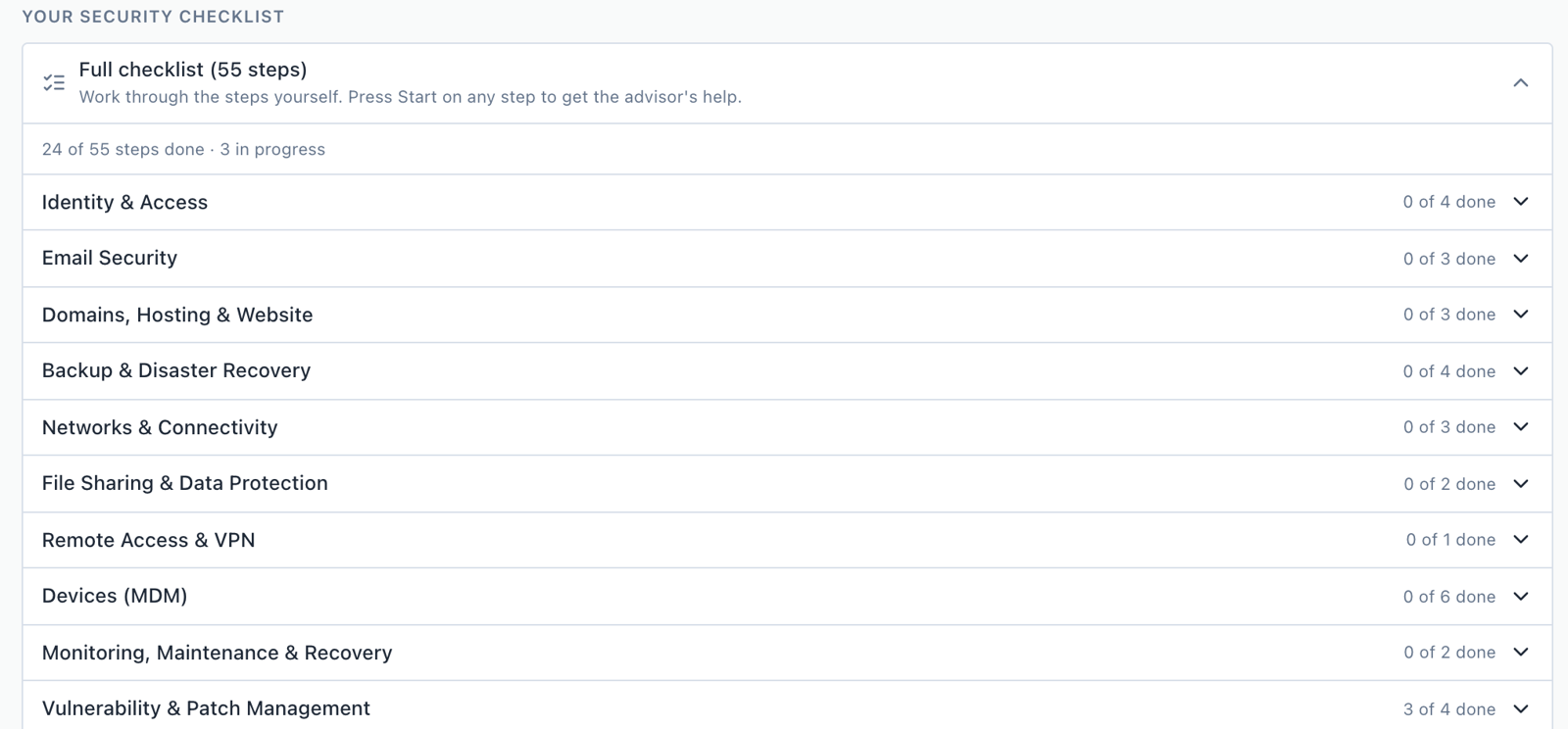
Your security, item by item
The portal lays out CLEAR 2026:55 by area and shows what's done, what's in progress and what's next. When an insurer, customer or funder sends a questionnaire, the answers are already there.
Have your own IT person? They work in the same portal, with our team behind them. See how that works
About your portal.
What exactly do you take over?+
Your everyday IT: the help desk, setting up new staff and closing out departing staff, laptops and phones, accounts, email, Wi-Fi and the apps you pay for. WarpMSP, our platform, then checks all of it every day against CLEAR 2026:55, our security standard. When something slips, like a departed employee's account left on or two-step sign-in turned off, it gets flagged and fixed. You see all of it in your portal.
What is the Security Guide?+
It's the part of your portal that walks your team through the standard, one plain question at a time. It asks, it checks the real setting, and a person on our team makes the fix. Every answer goes on your record.
We already have an IT person. Do we still need you?+
Yes, and it's one of the best setups there is. Your IT person works right in our platform, through your company portal: tickets, documentation, and CLEAR 2026:55 laid out step by step, with our software doing the daily checking. It's like giving them superpowers. And our team is there whenever they want backup or a second opinion.
See where you stand.
Type your company's website address. We'll show you what anyone on the internet can see, and fix the two worst things free.